
How I "Broke" Git to Record an Album Remotely
At a Glance
Standard cloud storage services (Dropbox, Google Drive) didn’t really work for us when my band Lorenzo’s Music, was trying to find a way to share full Digital Audio Workstation (DAW) file remotely. I solved our problem by turning GitHub and Git Large File Storage (Git LFS) into a multi-dimensional timeline engine. Here is the exact open-source technical setup we use with Ubuntu Studio and Ardour to collaborate on music.
The Dilemma: Why Cloud Sync DAW Sessions Didn’t Work
When recording remotely, sending the raw audio sessions along with the DAW ession across town poses severe technical challenges:
- File Corruption: Background cloud sync processes attempt to sync active DAW session files while they are open, and can generate conflicted files or destroy the session.
- Massive File Sizes: Uncompressed WAV files are just really big and take time to trasfer back and forth.
- Environment Mismatches: Missing plugins or mismatched audio drivers between band members cause errors during tracking sessions.
Step 1: Standardizing the Environment Through Open-Source
Before we started, we decided every band member had to have the same set up to record:
- Operating System: Ubuntu Studio (provides a low-latency audio kernel and pre-installed audio plugins so everyone has matching software).
- DAW: Ardour (Open-source multitrack recording software).
- Plugins: (The library of plugins pre-installed on Ubuntu Studio).
+-------------------------------------------------------------------+
|                        Ubuntu Studio                              |
|   [Ardour DAW] <---> [Git LFS (*.wav)] <---> [GitHub Org Remote]  |
+-------------------------------------------------------------------+
Step 2: Configuring GitHub with Git LFS for Audio
Standard Git repositories reject large binary files. To bypass this, set up Git LFS (Large File Storage) inside your cloned repository:
-
Install Git LFS on all machines:
git lfs install(Note: Every band member must run this once so WAV files download properly as raw audio instead of text pointers).
-
Track WAV binaries (person creating the repository only):
git lfs track "*.wav"
git add .gitattributes
Step 3: The Secret Rule-Breaker — Parallel Recording Timelines (No Merging)
In software engineering, developers write code on a branch and merge it back into the main line. If you merge music session files, the overlapping software code will destroy your DAW mix.
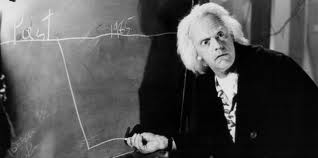
Instead, treat every recording session like Doc Brown’s alternate timelines in Back to the Future:
main (Initial Session Setup)
  │
  ├──> branch: bass-tracking-v1 (Bass added)
  │       │
  │       └──> branch: drums-and-synth (New baseline - NO MERGE)
  │               │
  │               └──> branch: final-vocal-takes (Final release candidate)
- Never Merge Branches: Every new recording session becomes its own isolated branch timeline.
- The New Baseline: When a member finishes a session, the next member branches off of that specific branch.
- Keeping Track: We use a shared Google Sites wiki page for each song, organizing GitHub branch names as headers along with session notes, keys, chord progressions, and MP3 exports of the song so far.
The Video Breakdown
Check out our full YouTube video walkthrough on how we broke Git to record our albums remotely: